
“Discovered — currently not indexed” is a status in Google Search Console meaning Google knows a URL exists — usually from your sitemap or a link — but hasn’t crawled or indexed it yet. It’s not a penalty and it’s not an error in the traditional sense; it’s a queue state. The page is waiting, and Google hasn’t decided it’s worth the crawl budget to actually visit it right now.
That said, “it’s just waiting” is only comforting if it resolves on its own — and for a lot of pages, it doesn’t. If indexing problems are recurring across your site, it’s worth a closer look at your GSC Indexing Issues. Here’s what actually causes it and what fixes it in practice.
What This Status Actually Means
Google’s crawling and indexing are two separate steps. Discovery happens when Google learns a URL exists — through your XML sitemap, an internal link, or an external link. Crawling is Google actually visiting the page. Indexing is Google deciding the page is worth storing and eligible to appear in results.
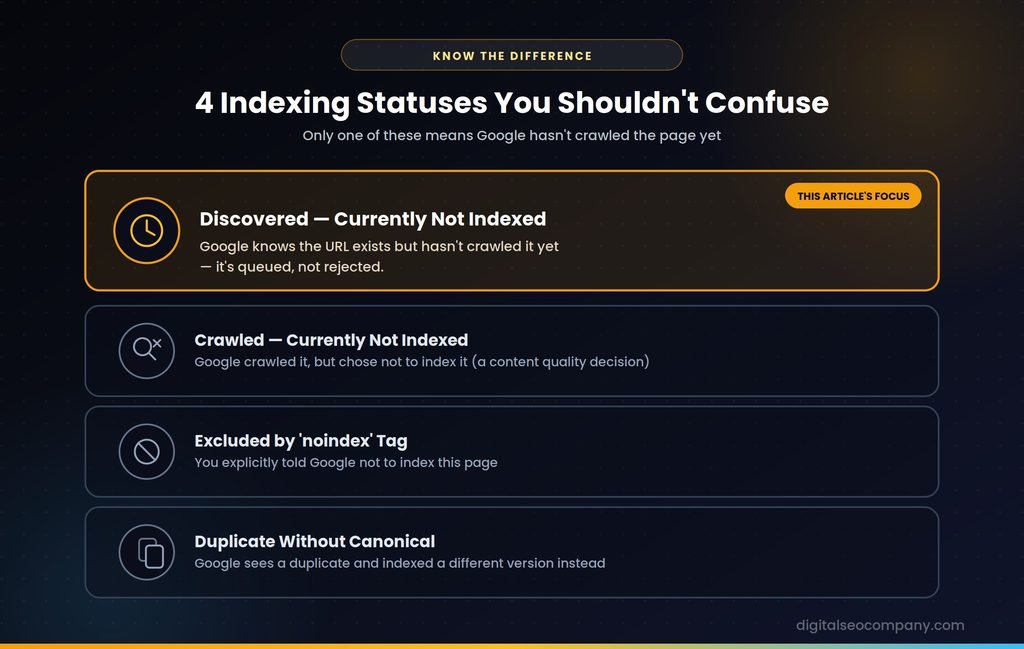
“Discovered — currently not indexed” means you’re stuck at step one: Google knows the URL exists but hasn’t taken step two. It’s genuinely different from a few other statuses that get confused with it:
| Status | What it means |
| Discovered — currently not indexed | Google knows the URL exists, hasn’t crawled it yet |
| Crawled — currently not indexed | Google did crawl it, but chose not to index it (usually a content quality decision) |
| Excluded by ‘noindex’ tag | You explicitly told Google not to index the page |
| Duplicate without user-selected canonical | Google sees this content as a duplicate and picked a different version to index |
If your pages are stuck in “Discovered,” the fix is about getting Google to prioritize the crawl. If they’re in “Crawled — currently not indexed” instead, that’s a different, usually more serious problem — Google looked and decided against indexing, which points to content quality rather than crawl priority.
Why This Happens
Crawl budget and server capacity. Google’s own guidance points to this as a leading cause — if your server responds slowly or struggles under load, Google intentionally limits how aggressively it crawls to avoid overwhelming it.
Low crawl priority. Google doesn’t crawl every known URL immediately — it prioritizes based on signals like internal links, external links, and how important the page appears to be. A page with no links pointing to it looks unimportant, even if the content is genuinely good.
The page is new. Sometimes this status is simply temporary — Google hasn’t gotten around to the page yet, and it resolves within days or weeks without you doing anything.
Weak internal linking. Orphaned pages, or pages buried deep in your site structure with no links from the homepage or related content, send a weak priority signal.
Thin or duplicate content. If Google’s algorithms predict a page won’t be useful — because it’s thin, largely duplicate, or matches a low-quality pattern it’s seen before — it may deliberately deprioritize crawling it rather than waste crawl budget confirming that prediction.
An Honest Note on the “Official” Explanation
Google’s own Page Indexing Report documentation frames this issue mainly around not wanting to overload your server. Worth knowing: several experienced practitioners who’ve audited this issue across many sites report that explanation is incomplete — pages get stuck in “Discovered” on fast, well-performing servers all the time, because low crawl demand or content-priority issues are doing most of the work, not server strain.
Practically, that means don’t stop at “my server is fast, so this must not be the problem” — check server performance, but treat it as one factor among several, not the default explanation.
How to Fix “Discovered — Currently Not Indexed”
1. Check the scale of the problem first. In Search Console, go to Indexing → Pages, and see how many URLs carry this status and which ones they are. A handful of new pages is very different from hundreds of established ones.
2. Manually request indexing for a small number of pages. Use the URL Inspection tool, enter the URL, and click “Request Indexing.” This doesn’t guarantee anything, but it can speed up the queue for individual, important pages. It doesn’t scale — don’t try this for hundreds of URLs one at a time.
3. Strengthen internal linking. Link to the affected pages from your homepage, related articles, and relevant category or hub pages. This is one of the highest-leverage fixes and directly addresses the “low priority” signal — see our technical SEO guide for more on site architecture and internal linking.
4. Improve the content itself. If a page is thin, largely duplicate, or offers little beyond what’s already indexed elsewhere on your site, expand it or consolidate it into a stronger page rather than leaving multiple weak versions competing for the same crawl attention.
5. Check for technical crawl blockers. Confirm the page isn’t accidentally blocked in robots.txt, that canonical tags point where they should, and that your server responds quickly and consistently — this is where our sitemap and crawl error coverage is relevant if the issue spans many URLs at once.
6. Submit a clean, accurate XML sitemap. Make sure the affected pages are actually included in your sitemap, and that the sitemap itself doesn’t contain broken or non-canonical URLs diluting Google’s trust in it.
7. Build topical depth instead of breadth. Google prioritizes crawling within site areas it already trusts. A page that’s part of a well-linked, topically coherent cluster gets crawled faster than an isolated page with no clear topical home.
8. Be patient with genuinely new pages. If the affected URLs are recently published, some of this resolves naturally as Google works through its queue — not every instance needs an aggressive fix.
Is This a Penalty?
No. Multiple sources — and Google itself — are consistent on this: “Discovered — currently not indexed” is not a manual action, not an algorithmic penalty, and doesn’t indicate your site did anything wrong. It’s a prioritization and resource-allocation state, not a punishment.
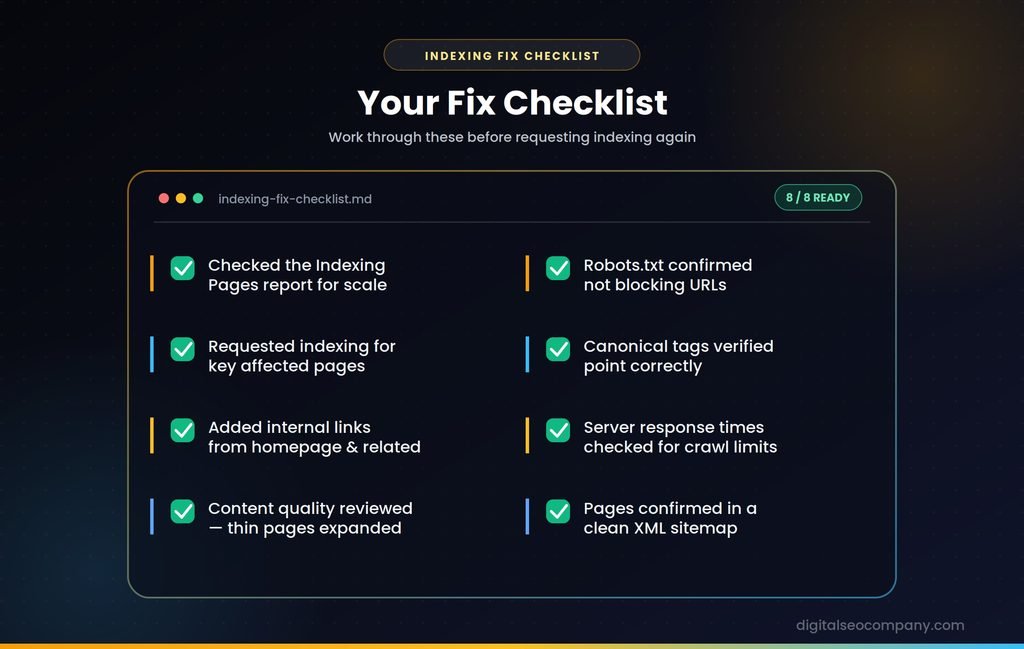
Checklist
- Checked Indexing → Pages to see scale and specific URLs affected.
- Requested indexing manually for the most important affected pages.
- Added internal links from the homepage and related content.
- Reviewed content quality — expanded or consolidated thin/duplicate pages.
- Confirmed robots.txt isn’t blocking the affected URLs.
- Verified canonical tags point correctly.
- Checked server response times aren’t limiting crawl capacity.
- Confirmed affected pages are included in a clean XML sitemap.
Common Mistakes
- Requesting indexing for hundreds of URLs manually — it’s not scalable and won’t fix a systemic priority or quality issue
- Assuming it’s always a server problem — check performance, but don’t stop there if the real issue is thin content or weak internal linking
- Confusing it with “Crawled — currently not indexed” — these need different fixes; treating them the same wastes effort
- Ignoring it because “it’s not an error” — technically true, but pages stuck here indefinitely are invisible in search regardless of the label
Discovered — Currently Not Indexed and AI Search
A page Google hasn’t indexed can’t rank — and it can’t be cited by AI Overviews or other AI search tools either, since those systems draw heavily from Google’s own index. Fixing indexing issues isn’t just a traditional SEO task anymore; it’s a prerequisite for AI visibility too. A technically excellent, well-written page sitting in “Discovered — currently not indexed” limbo is invisible everywhere at once, not just in classic search.
FAQ
What does “Discovered — currently not indexed” mean in Google Search Console?
- It means Google knows the URL exists — usually from your sitemap or a link — but hasn’t crawled or indexed it yet. It’s a queue state, not an error or penalty.
How long does “Discovered — currently not indexed” last?
- It varies. New pages sometimes resolve within days as Google works through its crawl queue. Pages stuck for weeks or months usually need a specific fix — better internal linking, stronger content, or resolving a technical blocker — rather than more waiting.
Does requesting indexing actually work?
- It can speed up the queue for individual pages, but it’s not a guarantee and isn’t a scalable fix if dozens or hundreds of pages carry this status — that points to a systemic issue worth fixing directly.
Is “Discovered — currently not indexed” the same as “Crawled — currently not indexed”?
- No. “Discovered” means Google hasn’t crawled the page at all yet. “Crawled — currently not indexed” means Google did crawl it and chose not to index it, usually due to a content quality assessment — a different problem with a different fix.
Final Thought
“Discovered — currently not indexed” isn’t a red flag by itself, but it’s also not something to ignore indefinitely. If it’s a handful of new pages, give it time. And you found the pattern is persistent across many URLs, it’s almost always solvable — with stronger internal linking, better content, or clearing a technical blocker — rather than something you just have to wait out.
If you’re seeing this pattern across dozens of pages and can’t pin down why, a free indexing audit can find the specific blocker — crawl budget, internal linking gaps, or something technical — faster than trial and error.