
Technical SEO is the practice of optimizing a website’s infrastructure — crawlability, indexing, speed, mobile-friendliness, and structured data — so search engines and AI crawlers can access, render, and understand it. It has nothing to do with what your content says; it’s about whether search engines can reach it at all. Google cannot rank a page it cannot crawl, cannot index a page it cannot render, and cannot cite a page in an AI Overview it can’t parse cleanly. That makes technical SEO the layer everything else depends on — and the one most sites quietly get wrong.
Think of it this way: your content is the product, and technical SEO is the store it’s sold in. You can stock the best product in the world, but if the entrance is blocked, the signage is broken, and the layout confuses every visitor, no customer — and no search engine bot — ever makes it inside.
Why Technical SEO Is the “Hidden” Growth Factor
Technical issues are hidden because they don’t show up in the content itself. A page can be well-written, keyword-optimized, and backed by strong links, and still underperform because of a blocked robots.txt rule, a slow server response, or a canonical tag pointing to the wrong URL. Site owners often chase content and backlinks first because they’re visible — technical problems only surface once someone runs an audit. Check here our complete backlinks guide.
The shift in 2026 is that this “hidden” layer now has two audiences instead of one: traditional search crawlers and AI crawlers (Google AI Overviews, ChatGPT, Perplexity, and others). If your technical foundation has gaps, you’re not just invisible to Google — you’re invisible in both ecosystems at once.
Technical SEO vs. On-Page vs. Off-Page SEO
These three disciplines solve different problems, and confusing them leads to misplaced effort:
| Type | What it solves | Example |
| Technical SEO | Can search engines access, render, and index the site? | Fixing crawl errors, improving site speed, adding schema |
| On-page SEO | Is the content itself relevant and well-structured? | Title tags, headers, keyword placement — see our [on-page SEO guide] |
| Off-page SEO | Does the wider web trust and vouch for the site? | Backlinks, brand mentions — see our [backlinks guide] |
Technical SEO sits underneath both. Even perfect on-page content and a strong backlink profile can’t rank if Google can’t crawl and index the page in the first place — which is why technical issues tend to have an outsized, site-wide impact compared to fixing a single page’s content.
The Core Pillars of Technical SEO
1. Crawlability
Crawling is how search engine bots discover your pages. If a page isn’t crawled, it can’t be indexed — full stop.
- Ensure robots.txt blocks only genuinely low-value pages, not important ones by accident
- Watch for crawl traps — faceted navigation (filters for size, color, price), session IDs, and infinite calendar/archive pages that generate near-infinite low-value URLs
- Fix redirect chains longer than two hops; each hop costs crawl budget
- On sites above roughly 1,000 pages, crawl budget management becomes a real constraint — Googlebot only crawls a finite number of pages in a given period, and large sites can lose a significant share of that budget to duplicate or low-quality URLs
- Log file analysis (via tools like Screaming Frog Log File Analyser) shows exactly what Googlebot is crawling — including pages it shouldn’t be wasting time on, and important pages it’s rarely visiting
2. Indexability
Indexing is Google deciding whether a crawled page is actually worth storing and serving in results.
- Decide deliberately which pages should be indexed vs. noindexed — thin, duplicate, or low-value pages dilute your site’s overall quality signal
- Use canonical tags to tell Google which version of a duplicate or near-duplicate page is authoritative
- Submit a clean, accurate XML sitemap containing only canonical, indexable URLs
- In 2026, managing your index budget — the number of pages Google considers worth keeping in its index — matters as much as managing crawl budget. A leaner site with a high ratio of quality-to-total pages tends to outperform a bloated one
3. Core Web Vitals & Site Speed
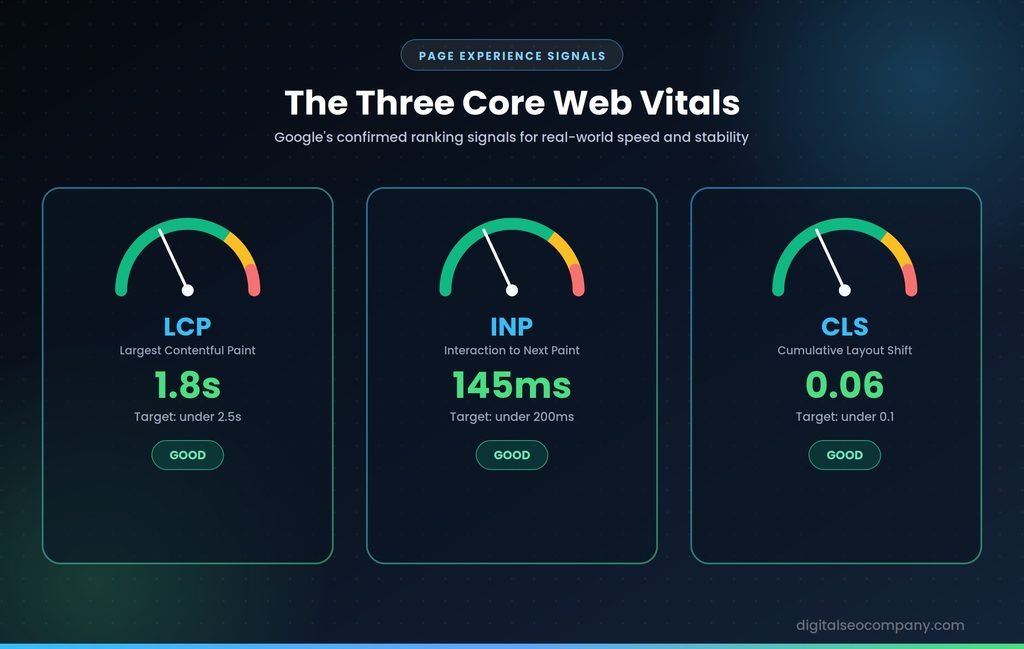
Core Web Vitals are Google’s confirmed, measured ranking signals for real-world page experience:
- LCP (Largest Contentful Paint): under 2.5 seconds — how fast the main content loads
- INP (Interaction to Next Paint): under 200 milliseconds — how responsive the page is to clicks and taps (this replaced FID in March 2024, and is now the most commonly failed metric, usually due to heavy third-party scripts and unoptimized JavaScript)
- CLS (Cumulative Layout Shift): under 0.1 — how much the page visually jumps as it loads
These are measured from real user data (field data), not just lab simulations — a page can score well in a one-off test and still frustrate real visitors on slower connections. Compress images to WebP or AVIF, defer non-critical scripts, and use a CDN to serve assets from servers closer to your visitors.
4. Mobile-First Indexing
Google indexes and ranks based on your mobile site, not desktop — this has been standard for years, but it’s still one of the most common oversights.
- Use responsive design with full content/link parity between mobile and desktop
- Make sure mobile navigation (like a hamburger menu) doesn’t hide your site structure from crawlers if it’s not present in the page’s underlying code until clicked
- Test with the Googlebot Smartphone user agent, not a desktop crawl
5. HTTPS & Security
- Serve the entire site over HTTPS
- Fix mixed-content warnings (HTTP resources loading on HTTPS pages)
- Keep security certificates current — Search Console will flag lapses
6. Structured Data (Schema Markup)
Schema explicitly tells search engines and AI systems what your content is, unlocking rich results and feeding AI answer engines directly.
- Add JSON-LD for relevant types: Article, FAQPage, Product, BreadcrumbList, Organization, LocalBusiness
- Validate everything with Google’s Rich Results Test
- Adoption is still surprisingly low — only a small fraction of the web’s largest sites implement any schema at all, which makes it a real competitive advantage rather than a checkbox
7. Site Architecture & Internal Linking
- Keep every important page reachable within three clicks of the homepage
- Audit for orphan pages — pages with zero internal links pointing to them are difficult for both crawlers and users to discover, and audits routinely turn up a large share of a site’s pages in this state
- A logical, shallow folder structure supports both crawlability and user navigation
8. JavaScript Rendering
How your site is built technically affects whether bots see your content at all:
- Client-side rendering (CSR): the browser builds the page — increasingly considered risky for important pages, since it forces search engines to defer processing and can delay indexing
- Server-side rendering (SSR): the server builds the HTML for every request — ensures bots see content immediately
- Static/incremental approaches (SSG/ISR): pre-rendered HTML with background updates — often the preferred balance of speed and freshness for content-heavy or e-commerce sites
Single-page applications without proper SSR or dynamic rendering can end up with dramatically fewer pages indexed than equivalent multi-page sites — this is one of the more expensive technical mistakes to fix after the fact.
9. Duplicate Content & Canonicalization
- Parameter URLs, session IDs, and pagination are the most common sources of duplicate content on larger sites
- Use canonical tags and consistent URL parameter handling to consolidate duplicate signals onto one authoritative version
10. AI Crawler Accessibility
This is the newest pillar, specific to 2026. Traditional technical SEO focused on Googlebot alone — now AI crawlers matter too.
- Confirm robots.txt and any firewall/CDN rules aren’t blocking reputable AI crawlers (like GPTBot or Perplexity’s crawler) if you want your content surfaced in AI answers
- Configure llms.txt to guide how AI systems interpret and reference your site
- Monitor for unexpected 403/429 response spikes to AI user-agents, which usually indicate accidental blocking
How to Run a Technical SEO Audit
- Check Google Search Console — start with the Pages/Coverage report, Core Web Vitals report, and Manual Actions section
- Crawl the site — use Screaming Frog, Ahrefs Site Audit, or Semrush to surface broken links, redirect chains, missing tags, and duplicate content
- Test Core Web Vitals — run top pages through PageSpeed Insights; fix the worst performers first
- Audit robots.txt — confirm you’re not blocking important pages from Google or AI crawlers
- Validate structured data — run key templates through Google’s Rich Results Test
- Check mobile usability — load the site on an actual phone; if it’s slow or confusing, so is Googlebot’s view of it
Run this at least quarterly for an established site. New sites, or sites going through a redesign or migration, should audit more frequently until the foundation is stable. To do a free technical SEO audit you can contact us.
Technical SEO Checklist
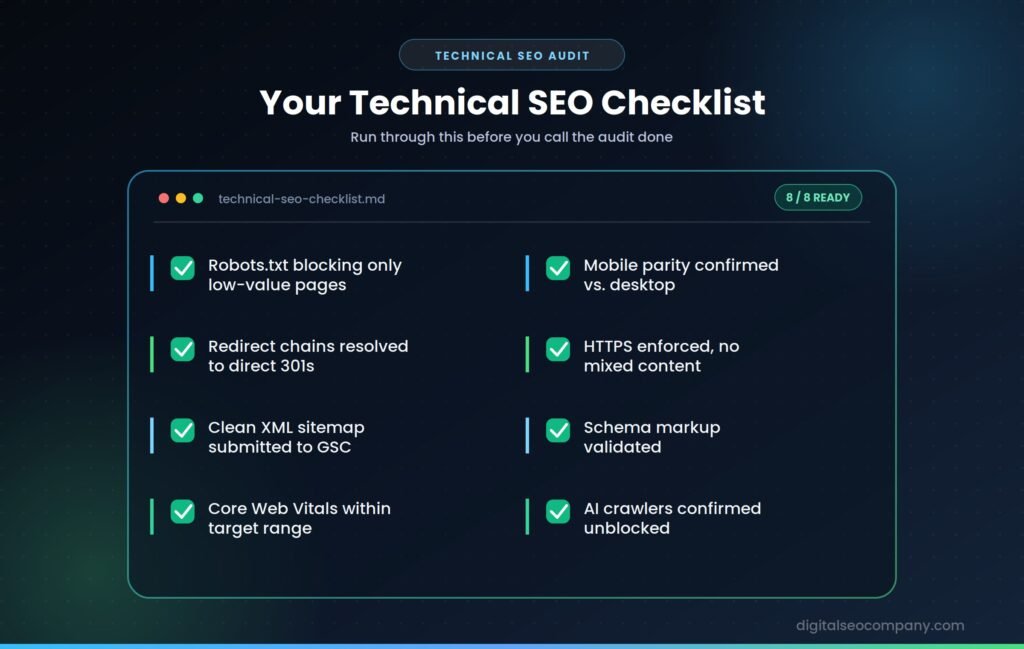
- Robots.txt reviewed — blocking only genuinely low-value pages
- Crawl traps (faceted nav, session IDs, infinite pagination) contained
- Redirect chains resolved to direct 301s
- Canonical tags correctly applied across duplicate/near-duplicate URLs
- Clean XML sitemap submitted, containing only canonical URLs
- Core Web Vitals within target (LCP < 2.5s, INP < 200ms, CLS < 0.1)
- Mobile parity confirmed between mobile and desktop content/links
- HTTPS enforced sitewide, no mixed-content warnings
- Schema markup implemented and validated for key templates
- Orphan pages identified and linked into the site structure
- AI crawlers (GPTBot, PerplexityBot, etc.) confirmed unblocked
Common Technical SEO Mistakes
- Auditing with a desktop user agent instead of the Googlebot Smartphone agent, missing what actually gets indexed
- Ignoring crawl budget on large sites until it’s already costing significant crawl coverage to duplicate or low-value URLs
- Treating Core Web Vitals as a one-time fix rather than an ongoing metric that shifts as content and scripts are added
- Blocking AI crawlers by accident through overly broad robots.txt or firewall rules
- Letting orphan pages accumulate — content with no internal links pointing to it is effectively invisible
- Choosing CSR for important pages without a rendering strategy, leading to silent indexing delays
Technical SEO and AI Overviews
Technical SEO has quietly become a prerequisite for AI visibility, not just traditional rankings. AI systems assemble answers from indexes and high-authority sites — which means crawlability comes first, before relevance or authority even get evaluated.
- Clean structure feeds extraction. Consistent heading hierarchy, bullet lists for steps, and tables for comparisons make content easier for AI systems to lift cleanly — the same HTML clarity that helps Googlebot helps an LLM.
- Schema is foundational, not optional. Complete, accurate structured data is now treated as a baseline requirement for AI Overview visibility, not a nice-to-have.
- AI crawlers need explicit access. Unlike Googlebot, AI crawlers are newer and more likely to be accidentally blocked by legacy robots.txt rules or aggressive bot-protection — worth auditing separately.
- Technical SEO is a qualifier, not a differentiator. A technically flawless site doesn’t guarantee an AI citation — but a technically broken one guarantees exclusion. It buys you the chance to compete; content clarity and authority decide who wins.
Frequently Asked Questions
What is technical SEO in simple terms?
- Technical SEO is the process of optimizing a website’s backend — crawlability, indexing, speed, and structure — so search engines and AI crawlers can access, render, and understand it. It’s separate from content or backlinks; it’s about whether the site works properly under the hood.
What’s the difference between technical SEO and on-page SEO?
- Technical SEO deals with whether a page can be crawled, indexed, and rendered efficiently. On-page SEO deals with the content itself — keywords, headers, and structure. A page can be perfectly optimized on-page and still fail to rank if it has technical barriers.
How often should I run a technical SEO audit?
- At minimum, quarterly for an established site. New sites should audit every few weeks until the foundation is solid, and any major change — redesign, migration, large content push — should trigger an immediate audit.
Do Core Web Vitals really affect rankings?
- Yes. LCP, INP, and CLS are confirmed ranking signals tied to Google’s Page Experience system, measured from real user data. Pages passing all three thresholds show measurably better engagement and more stable rankings than pages that fail them.
Does technical SEO matter for AI Overviews and AI search?
- Yes, arguably more than before. AI crawlers need the same clean access, structure, and schema that traditional crawlers do — a technically broken site is excluded from AI answers before content quality is even considered.
Final Thought
Technical SEO rarely gets credit because it’s invisible when done right — no one notices a site that loads fast and gets crawled cleanly. But it’s the layer that decides whether your content and backlinks ever get the chance to compete at all. Fix the foundation first; everything else you build on top of it works harder as a result.