
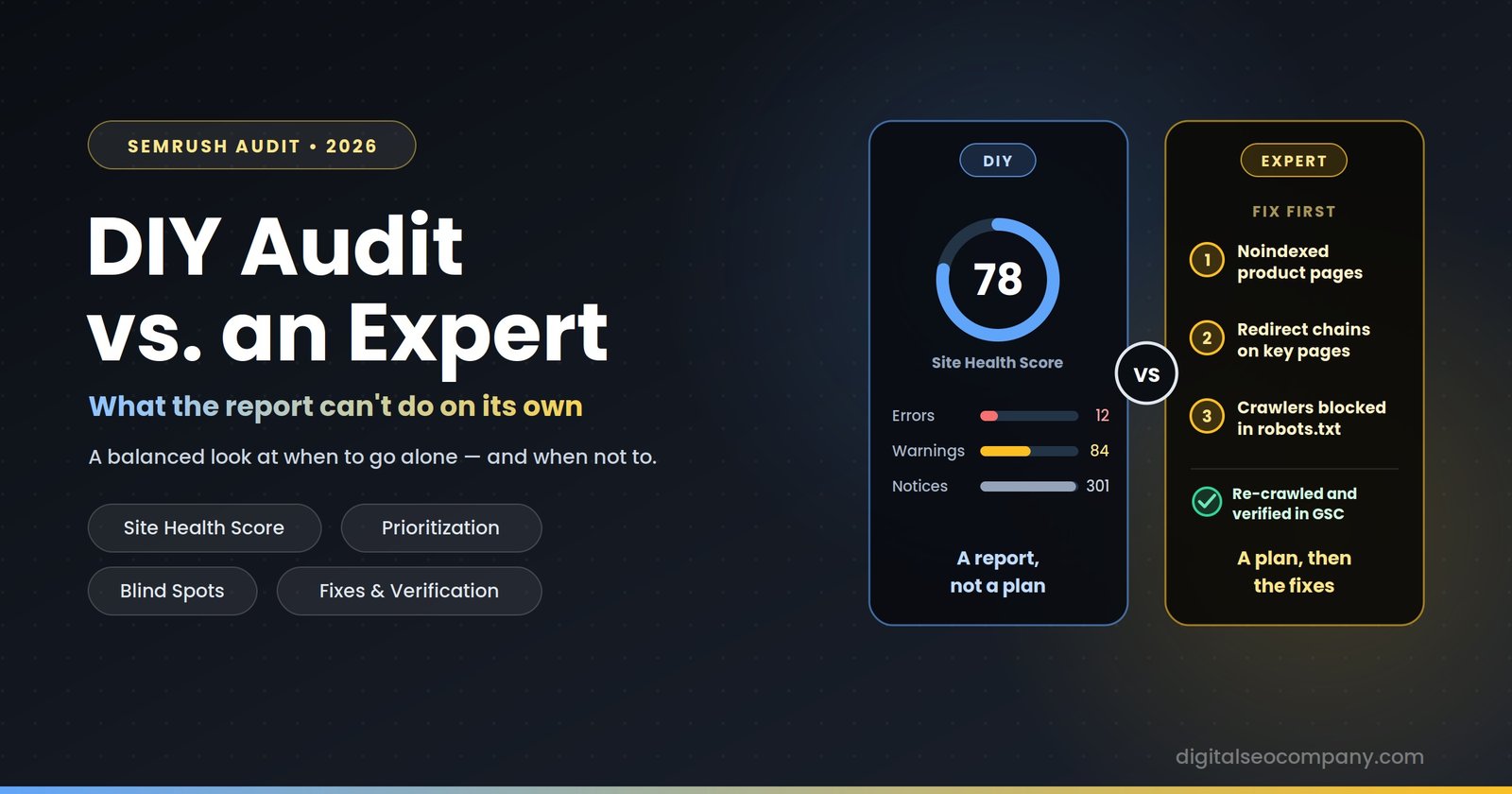
A DIY Semrush audit is a legitimate way to find technical SEO problems, and for a small, simple website it may be all you need. What the tool can’t do on its own is decide which of the issues it flags actually matter for your business, see what a crawler is blind to, or fix anything. That gap — between a list of findings and a safer, faster, more visible website — is what an expert adds. Whether it’s worth paying for depends on your site’s size, your technical comfort, and how costly a mistake would be.
This article gives you both sides honestly: how to run a solid DIY audit yourself, where DIY audits most often go wrong, and how to tell which route fits your situation. If you decide to go it alone, the quick-start section below is genuinely meant to be useful.
What a DIY Semrush Audit Does Well
Semrush’s Site Audit crawls your website and checks for well over a hundred technical issues — crawlability, HTTPS, broken links, duplicate content, redirect chains, page speed signals, and more. It groups findings into Errors (most serious), Warnings (medium impact), and Notices (minor hygiene), and rolls them into a Site Health Score out of 100. For a first look at a site, that’s a lot of value for the money:
- It’s fast. A crawl can finish in minutes on a small site, and you get a prioritized-looking report immediately.
- It’s cheap to start. A free account lets you crawl up to 100 pages per audit, which is enough to audit many small sites. Paid plans, starting around $139.95 per month, raise crawl limits and add scheduled re-crawls and history so you can track progress over time.
- It explains issues. Each finding comes with an explanation of why it matters and how to fix it, which makes the tool a decent teacher.
- It’s good for baselines and monitoring. Re-running the same audit monthly shows whether things are improving or quietly breaking.
If your site has under a few hundred pages, runs on a mainstream CMS, and you’re comfortable editing page settings and fixing broken links, a DIY audit is a sensible place to start. You may thought about other tools also, then you can read our Semrush vs. Screaming Frog vs. Ahrefs article.
A Quick-Start Guide to Doing It Yourself
- Create a project for your root domain and confirm the crawl scope covers both the www and non-www versions if either is in use.
- Set the crawl limit to match your site size and your plan’s allowance.
- Run the audit with default settings first. Write down your Site Health Score as a baseline.
- Open the Issues tab and start with Errors, not the score. Broken pages, incorrect blocking, redirect chains, and HTTPS problems come first.
- Look at volume and location, not just severity. A single error on your highest-traffic page can matter more than hundreds of notices elsewhere.
- Cross-check with Google Search Console. If Semrush flags an indexing problem, confirm it in GSC’s Pages report before changing anything.
- Fix, then re-crawl. Run another audit to confirm each fix took effect, and set the audit to recur.
Do those seven things carefully and you’ll have caught most obvious problems. Where DIY audits tend to fall short is everything after that.
Where DIY Audits Commonly Fall Short
The Site Health Score Is Not a Ranking Factor
The score is Semrush’s own composite number, weighted so errors count more than warnings and warnings more than notices. It is not a grade from Google and has no direct effect on rankings. Treating it as the goal leads people to spend hours clearing low-impact notices to move a number, while a single serious problem sits unaddressed. Some practitioners also note that large, well-maintained sites often score lower than small ones simply because complexity generates more warnings. A perfect 100 is neither realistic nor necessary.
Severity Labels Aren’t Business Impact
Semrush ranks issues by technical severity. It doesn’t know which pages earn your revenue. Three accidentally noindexed product pages may be labeled the same as three orphaned archive pages, and thousands of low-priority notices can bury the handful of issues that are costing you traffic. Deciding what to fix first requires knowing your site’s commercial priorities, not just reading the report top to bottom.
Blind Spots the Crawler Can’t See
Any crawler-based tool has limits worth understanding:
- JavaScript rendering. Semrush can render JavaScript, but its rendering isn’t identical to how Googlebot’s renderer behaves, and availability of rendering can depend on your plan tier. On a JavaScript-heavy site, content a crawler sees may differ from what Google indexes.
- Real-user performance data. A crawl can estimate speed issues, but real-user Core Web Vitals data from sources like the Chrome UX Report reflects what visitors actually experience.
- Server logs. A crawl shows what’s discoverable. Server logs show what Googlebot actually requested, which is how crawl-budget waste and ignored sections are found.
- Indexing reality. Semrush shows what it thinks your pages look like. Search Console shows what Google actually indexed, and the two frequently disagree. To know briefly you may check our technical SEO guide.
False Positives and Missing Context
Not every flagged item is a problem. Intentional noindex tags, faceted navigation, parameter URLs, staging content, and deliberate redirects can all show up as issues. Without experience, it’s easy to “fix” something that was correct — or to ignore the one flagged item that really is a bug. Context about how the site was built is often the missing ingredient.
Crawl Limits and Scope
Crawl limits scale with plan and reset on a schedule, and the free tier’s 100-page cap won’t cover a larger site. Subdomains, parameter-heavy sections, and pages behind logins can also fall outside what a default crawl covers, leaving parts of the site unaudited without you noticing. Check your current plan’s limits before trusting a clean report on a large site.
The Implementation Gap
This is the biggest one. An audit finds problems; it doesn’t fix them. Many of the highest-impact fixes live outside the dashboard — in robots.txt, sitemap configuration, redirect rules, canonical logic, server settings, or theme code — and a mistake in those can make things worse. A single wrong line in robots.txt can block your entire site from crawlers. Knowing a problem exists and safely fixing it are different skills. Our experts are waiting to help you to fix these. Or you can read these guide regarding sitemap.xml fixing and robots.txt fixing.
Verification and Follow-Through
A one-off audit becomes outdated quickly. Fixes need re-checking, Search Console needs validating, and later site changes can quietly reintroduce old problems. Without a monitoring routine, a clean audit in January can be a messy one by April.
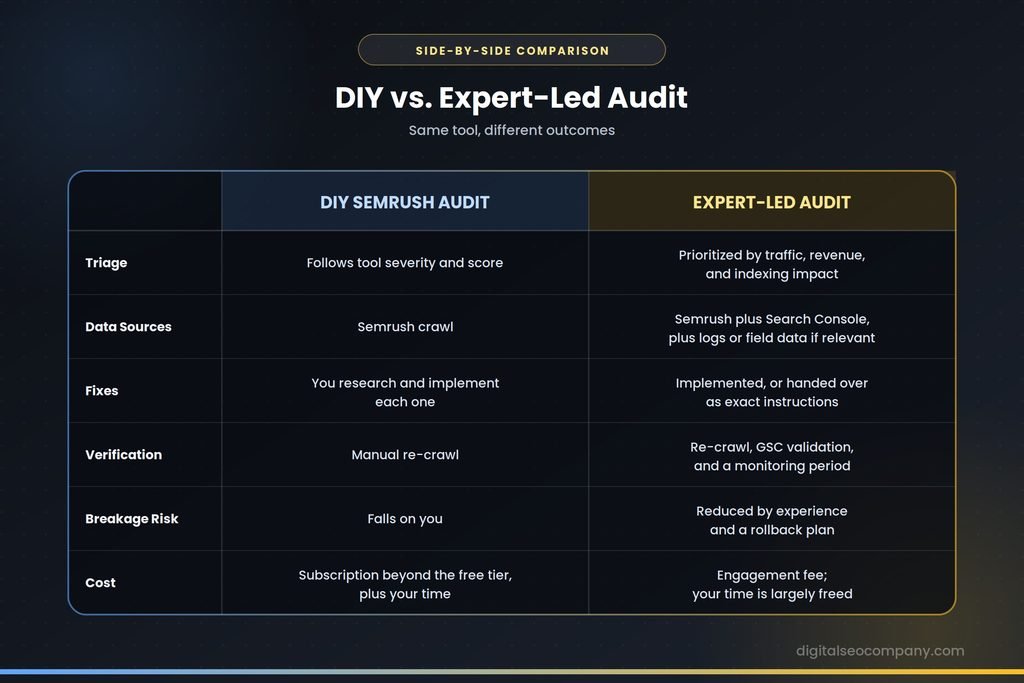
DIY vs. Expert-Led: Side by Side
| DIY Semrush audit | Expert-led audit | |
|---|---|---|
| Setup and crawl | Self-configured; easy to miss subdomains or limits | Scoped to the full site, including edge sections |
| Triage | Follows tool severity and score | Prioritized by traffic, revenue, and indexing impact |
| Data sources | Semrush crawl | Semrush plus Search Console, and logs or field data where relevant |
| False positives | You decide, often without context | Filtered using site context and experience |
| Fixes | You research and implement each one | Implemented, or handed over as exact instructions |
| Verification | Manual re-crawl | Re-crawl, GSC validation, and a monitoring period |
| Risk of breaking things | Falls on you | Mitigated by experience and a rollback plan |
| Cost | Subscription (if beyond the free tier) plus your time | Fee for the engagement; your time is largely freed |
What the Real Cost Comparison Looks Like
It’s tempting to compare a Semrush subscription with an expert’s fee and conclude that DIY is cheaper. That leaves out the hours spent learning the tool, researching each fix, and recovering from any mistake. A paid Semrush plan runs about $139.95 per month before you’ve spent any time on it; a one-time audit package (ours start at $299) bundles the audit, the implementation of critical fixes, and post-fix monitoring.
The honest framing: DIY is cheapest in cash and most expensive in time and risk. An expert costs more in cash and less in both. For a hobby blog, time is cheap and risk is low. For a revenue-generating site, a single indexing mistake can cost more than the audit would have.
When DIY Is Enough
A DIY audit is a reasonable choice when:
- The site is small — roughly a few hundred pages or fewer — and runs on a mainstream CMS
- Traffic isn’t yet a meaningful revenue source, so mistakes are cheap
- You’re comfortable editing settings and fixing broken links yourself
- You’re building a baseline before deciding whether to invest further
- Your goal is learning how technical SEO works
When Hiring an Expert Makes Sense
Consider an expert when:
- Organic traffic drives real revenue, so a missed or mishandled issue is expensive.
- The site is large or complex — thousands of URLs, multiple languages, faceted navigation, or JavaScript-heavy rendering.
- You’ve recently migrated or redesigned, when redirects, canonicals, and indexing are most fragile.
- Search Console shows indexing problems you can’t diagnose, such as “Crawled – currently not indexed” at scale.
- Fixes involve server-level or robots.txt/sitemap changes where an error can block crawlers.
- You’ve audited before and the score improved but traffic didn’t, which usually means the real problem isn’t in the report.
- You don’t have the hours to learn, implement, and verify properly. Contact our experts for top notch indexing issues services.
How to Evaluate an Expert
Not every audit provider is worth hiring. Be cautious of anyone who:
- Sells the Site Health Score as the outcome. A higher score isn’t proof of better rankings.
- Guarantees rankings or traffic. No one controls Google’s algorithm.
- Delivers a raw tool export. The report should be prioritized and explained, not a PDF of the same dashboard you could generate yourself.
- Doesn’t cross-check with Search Console. The crawl alone isn’t the full picture.
- Doesn’t fix or verify. Ask what’s included after the report: implementation, re-crawl, and monitoring.
Good questions to ask: What will you fix first, and why? How will we know it worked at 30 or 60 days? Which parts could I do myself to save money?
What an Audit With Us Includes
Our Semrush SEO audit service pairs the crawl with Search Console data and follows through on the fixes, not just the findings. The packages on our site cover a full technical audit using Semrush and Google Search Console, critical indexing fixes (up to a set number of URLs depending on the package), robots.txt, sitemap.xml, and llms.txt configuration, and a post-fix monitoring report — 14, 28, or 60 days depending on the package. If you’d like a second opinion on a DIY audit you’ve already run, you can also request a free audit analysis and we’ll tell you honestly whether it needs more than you’ve already done.
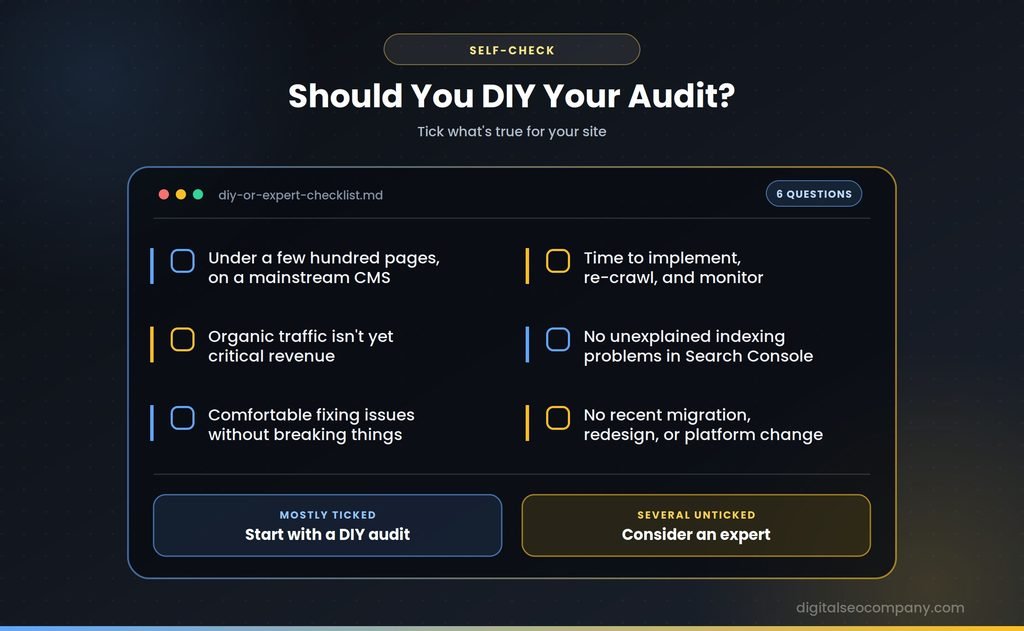
Should You DIY? A Quick Checklist
- Fewer than a few hundred pages, on a mainstream CMS
- Organic traffic isn’t yet critical revenue
- Comfortable fixing issues without breaking things
- Time available to implement, re-crawl, and monitor
- Search Console shows no unexplained indexing problems
- No recent migration, redesign, or platform change
If most of these are true, start DIY. If several aren’t, an expert is likely to save more than they cost.
Frequently Asked Questions
Is the Semrush Site Audit free?
- Semrush offers a free tier that crawls up to 100 pages per audit, which suits small sites. Larger crawls, scheduled re-audits, and history require a paid plan.
What is a good Semrush Site Health Score?
- It depends on site size and age rather than a fixed number. Scores above 80 are generally considered acceptable and above 90 strong, but the score is Semrush’s own metric, not a Google ranking factor, so fixing real errors matters more than chasing 100.
Can I fix the issues Semrush finds myself?
- Many, yes — broken links, missing titles, and basic redirects are within reach of most site owners. Server-level, robots.txt, sitemap, canonical, and rendering fixes carry more risk and benefit from experience.
Does fixing Semrush errors guarantee better rankings?
- No. Fixing technical errors removes barriers to crawling and indexing, but rankings depend on many other factors, including content quality, competition, and links. No audit or auditor can guarantee a result.
How often should I run a site audit?
- Monthly is a common cadence for active sites, and after any major change like a redesign or migration. Scheduled crawls in a paid plan automate this.
Final Thought
The question isn’t whether Semrush is a good tool — it is — but whether a report alone is what you need. If you want to learn the craft and your site is small, run the audit yourself and treat it as a skill worth building. If your site earns revenue, is complex, or has already resisted a DIY attempt, what you’re buying from an expert isn’t access to the tool. It’s the judgment about which findings matter, the care to fix them safely, and the follow-through to confirm they worked.