
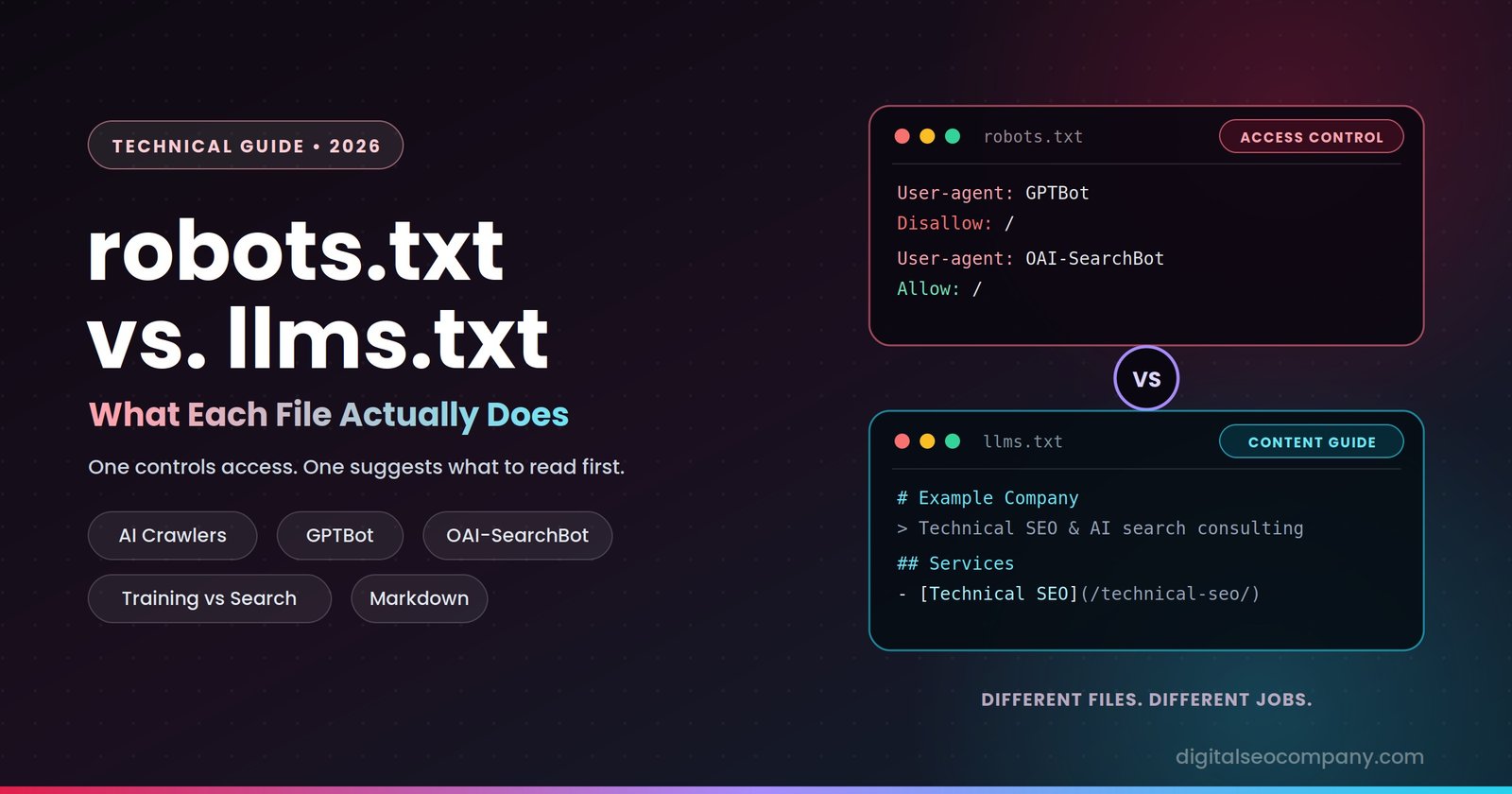
robots.txt is an access-control file: it tells crawlers which parts of your site they may or may not fetch, and every major search and AI crawler honors it. llms.txt is a proposed content-guidance file: a Markdown list of your most important pages, meant to help AI systems read your site efficiently — but as of 2026, no major AI provider has committed to using it, and server-log studies show AI crawlers almost never request it. The two files sit at the same root-level path and look superficially similar, which is why they get lumped together. They do very different jobs, and they have very different track records.
If you remember one thing from this article, make it this: robots.txt decides whether AI systems can reach your content at all, and that decision directly affects whether you can be cited. llms.txt is, at best, a low-cost supplement whose measurable benefit for most websites is currently close to zero. Both are worth understanding. Only one is non-negotiable.
The Difference in One Table
| robots.txt | llms.txt | |
|---|---|---|
| Purpose | Controls which URLs crawlers may fetch | Suggests which pages AI systems should read first |
| Format | Plain text directives (User-agent, Allow, Disallow) | Markdown (headings, links, short descriptions) |
| Status | Established standard (RFC 9309, 2022) | Proposed convention, not a formal standard |
| Can it restrict access? | Yes, for crawlers that honor it | No — it carries no restrictive power |
| Honored by major crawlers? | Yes (Googlebot, GPTBot, ClaudeBot, PerplexityBot and others) | No major provider has committed to reading it |
| Adoption | Near-universal | Roughly 1 in 10 sites in the largest studies |
| Measured effect on AI visibility | Direct: blocking search crawlers removes you from AI answers | None demonstrated in large-scale studies |
What robots.txt Actually Does
robots.txt is a plain text file at the root of your domain (yourdomain.com/robots.txt) that gives crawlers instructions about where they may go. It has existed since the 1990s, was formalized as an internet standard in 2022 (RFC 9309), and works because the crawlers that matter have agreed to respect it. A directive looks like this:
User-agent: *
Disallow: /wp-admin/
Allow: /wp-admin/admin-ajax.php

Sitemap: https://example.com/sitemap.xml
robots.txt fixing – Three things robots.txt is frequently mistaken for, and isn’t:
- It is not security. robots.txt is a request, not a lock. Well-behaved crawlers honor it; malicious or careless ones can ignore it entirely. Anything genuinely private needs authentication, not a
Disallowline. - It is not a way to remove pages from search. Disallowing a URL stops compliant crawlers from fetching it, but the URL can still appear in results if other pages link to it. To keep a page out of the index, use a
noindexdirective on a crawlable page — and note that blocking the page in robots.txt prevents crawlers from ever seeing thatnoindex. This mix-up causes many of the indexing problems we see in audits. - It is only one layer of access. A firewall, CDN, or bot-management rule can block crawlers regardless of what robots.txt says, so a permissive robots.txt doesn’t guarantee a crawler can actually reach your pages.
robots.txt and AI Crawlers: Training vs. Search
This is the part that matters most for AI visibility in 2026, and it’s where most sites make an expensive mistake. AI companies now run separate crawlers for separate purposes, and robots.txt lets you treat them differently, here is the technical seo guide:
| Purpose | Examples | What blocking it does |
|---|---|---|
| Model training | GPTBot (OpenAI), ClaudeBot (Anthropic), Google-Extended (Google), Applebot-Extended, CCBot | Keeps your content out of model training data |
| AI search / citation | OAI-SearchBot (OpenAI), Claude-SearchBot (Anthropic), PerplexityBot | Removes you from eligibility for AI search answers and citations |
| User-triggered fetching | ChatGPT-User, Claude-User, Perplexity-User | Stops AI assistants from retrieving your page when a user asks about it |
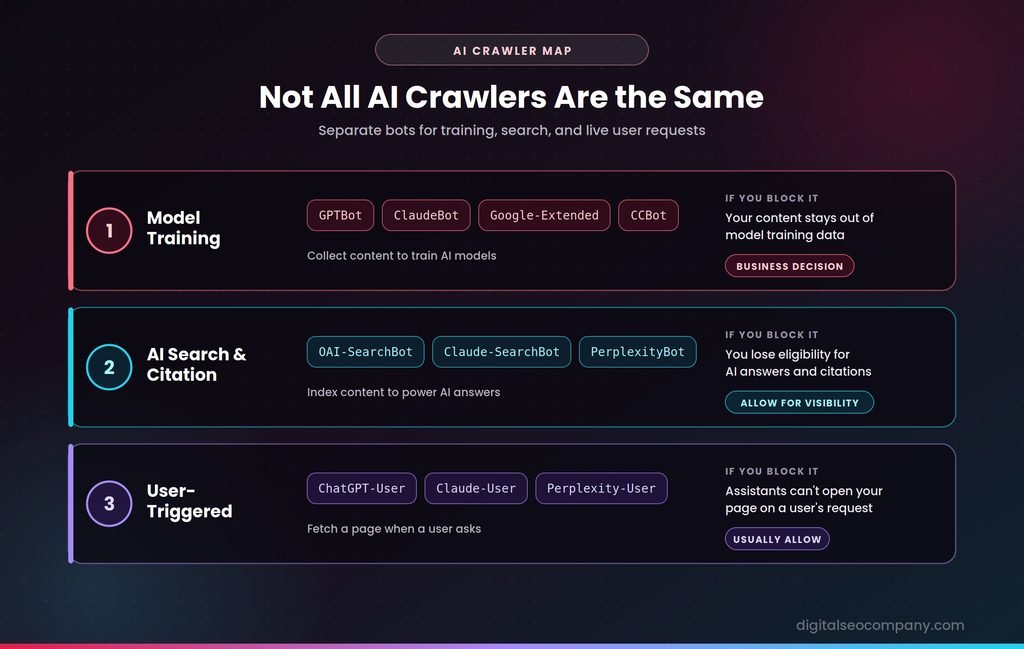
The key point: GPTBot is not OAI-SearchBot, and ClaudeBot is not Claude-SearchBot. A site can opt out of having its content used for training while remaining fully eligible to be cited in AI answers. The mistake is blocking everything with “AI” in the name — which also blocks the crawlers that determine whether you appear in AI answers at all. Google-Extended is a separate case: it’s a control token for Gemini training, and Google states it doesn’t affect a site’s inclusion or ranking in Google Search.
A configuration that opts out of training but stays citable looks like this:
# Allow AI search and citation crawlers
User-agent: OAI-SearchBot
Allow: /

User-agent: Claude-SearchBot
Allow: /

User-agent: PerplexityBot
Allow: /

# Opt out of model training
User-agent: GPTBot
Disallow: /

User-agent: ClaudeBot
Disallow: /

User-agent: Google-Extended
Disallow: /

# Everyone else
User-agent: *
Allow: /
Whether to block training crawlers is a business decision, not a technical one — some publishers want to opt out, others don’t mind. What isn’t a judgment call is accidentally blocking search crawlers through an old catch-all Disallow: / rule, a legacy plugin default, or a firewall setting. That’s an access bug, and it silently removes you from AI answers. User-agent names change as providers add or retire crawlers, so check each operator’s current documentation before copying any list, including this one.
What llms.txt Actually Is
llms.txt configuration – llms.txt was proposed in 2024 by Jeremy Howard of Answer.AI. The idea: since language models work within limited context windows and struggle to parse cluttered HTML, a site could publish a clean Markdown file at yourdomain.com/llms.txt that summarizes the site and links to its most important pages. A minimal example:
# Example Company

> Technical SEO and AI search optimization consulting for growing businesses.

## Services
- [Technical SEO Audits](https://example.com/technical-seo/): Crawl, indexing, and speed fixes.
- [Schema Markup](https://example.com/schema/): Structured data implementation.

## Guides
- [robots.txt vs llms.txt](https://example.com/blog/robots-txt-vs-llms-txt-explained/): How the two files differ.
A related variant, llms-full.txt, includes the full page content in one large Markdown file rather than just links.
Notice what’s absent: there are no directives. llms.txt can’t allow or block anything. It’s a suggestion about what to read first, not an instruction about what’s permitted, which is why it can never substitute for robots.txt.
Does llms.txt Actually Work?
Honest answer: the evidence so far says that for most websites, no measurable benefit — and an article that told you otherwise would be repeating a claim the data doesn’t support.
- No major AI provider has committed to using it. As of 2026, none of OpenAI, Anthropic, Google, Meta, or Mistral has publicly committed to reading llms.txt in production search or answer systems.
- Google has said it doesn’t use it. Google’s John Mueller and Gary Illyes have both stated publicly that Google doesn’t support llms.txt, with Mueller comparing it to the discredited keywords meta tag.
- Crawlers barely request it. One monitoring analysis of over 500 million AI bot visits across 90 days found only 408 requests that targeted llms.txt. Ahrefs studied roughly 137,000 domains in May 2026 and found 97% of llms.txt files received zero requests. In a separate server-log study of 83 sites, OpenAI’s crawlers fetched robots.txt nearly 4,000 times over the same window in which they fetched llms.txt seven.
- No demonstrated citation benefit. An SE Ranking analysis of roughly 300,000 domains found no statistically significant correlation between having an llms.txt file and how often a domain gets cited in AI answers. Among the 50 most AI-cited domains in that study, only one had the file.
Evidence isn’t entirely one-sided, and it’s worth noting where it conflicts: at least one GEO tracking vendor has reported that some OpenAI and Microsoft crawlers do fetch llms.txt and llms-full.txt, and adoption figures vary by sample (roughly 10% of domains in the largest study, higher or lower in others). But the large-scale log studies and the correlation analysis point the same direction, and no public study has shown that adding the file increased citations or AI-driven traffic.
Where llms.txt Genuinely Helps
The one place llms.txt has real, observable adoption is developer documentation. AI coding agents and IDE assistants — Cursor, Windsurf, Claude Code, GitHub Copilot, and similar tools — routinely look for /llms.txt and /llms-full.txt when pointed at a documentation site, then pull only the linked pages relevant to the task at hand. For a software product, API, or developer-focused site, that’s a concrete, working use case: your docs become easier for coding agents to consume accurately.
For a typical marketing, local business, or services website, there’s no comparable consumer. The file costs about 30 minutes to create and does no harm, but it also shouldn’t be sold, expected, or reported as a ranking or visibility lever.
So Do You Need Both?
- robots.txt: yes, and it needs deliberate attention – Every site needs one, and in 2026 it also needs an explicit decision about AI crawlers — particularly making sure you’re not accidentally blocking the search and citation crawlers that make you eligible for AI answers.
- llms.txt: optional – Worth publishing if you run a documentation-heavy or developer-facing site, or if you simply want a low-cost, low-risk file in place in case adoption grows, it also helps for AI search optimization. Not worth prioritizing over crawlability, rendering, structured data, and genuinely citable content — the things that measurably correlate with AI visibility.
The honest framing for clients: robots.txt is infrastructure you must get right, don’t worry we discussed briefly robots.txt & llms.txt configuration. llms.txt is a speculative bet with a very small downside. They complement each other in what they describe, but not in what they’re worth.
Common Mistakes
- Blocking every AI-related user agent instead of separating training crawlers from search crawlers. In that case indexing issues fixing and optimization is mandatory.
- Using robots.txt to hide pages from search instead of
noindex— and blocking the very pages where thenoindexneeded to be seen. - Leaving a legacy catch-all
Disallowin place from a staging environment or old plugin. - Forgetting the firewall/CDN layer, so a permissive robots.txt coexists with a bot-management rule that quietly returns 403s to AI crawlers.
- Expecting llms.txt to move rankings or citations and reporting it to clients as a visibility win.
- Never re-checking the file. AI crawler names change, and a robots.txt written two years ago predates most of them.
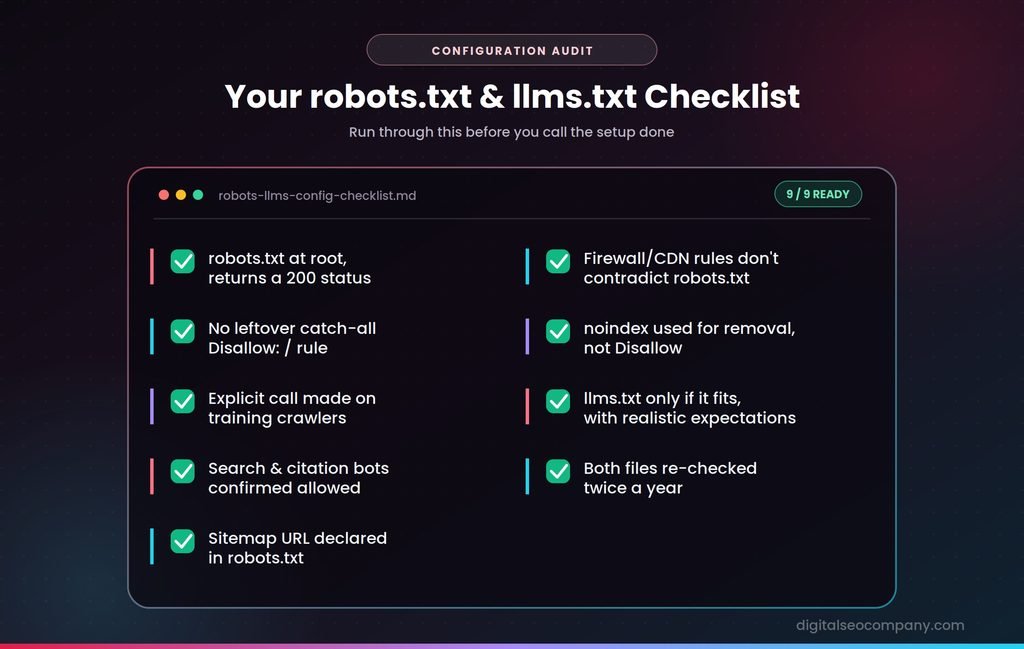
Checklist: robots.txt and llms.txt Configuration
- robots.txt exists at the domain root and returns a 200 status
- No unintended catch-all
Disallow: /rule left in place - Explicit decision made on training crawlers (GPTBot, ClaudeBot, Google-Extended)
- Search and citation crawlers (OAI-SearchBot, Claude-SearchBot, PerplexityBot) confirmed allowed
- Sitemap URL declared in robots.txt
- Firewall/CDN bot rules checked so they don’t contradict robots.txt
- Pages needing removal from search use
noindex, notDisallow - llms.txt published only if it fits your site type (docs, developer tools), with realistic expectations
- Both files re-checked at least twice a year
Frequently Asked Questions
What’s the difference between robots.txt and llms.txt?
- robots.txt controls which URLs crawlers may fetch, using allow and disallow directives that major crawlers honor. llms.txt is a proposed Markdown file that suggests which pages AI systems should read first; it can’t restrict access, and no major AI provider has committed to using it.
Does llms.txt replace robots.txt?
- No. llms.txt has no ability to allow or block anything. Access control for AI crawlers happens in robots.txt (and at the firewall level), and llms.txt can’t substitute for that.
Does llms.txt improve AI citations or rankings?
- Not according to current evidence. Large-scale studies have found no measurable correlation between having the file and being cited in AI answers, Google has said it doesn’t use the file, and AI search crawlers rarely request it.
Should I block GPTBot in robots.txt?
- That’s a business decision. Blocking GPTBot keeps your content out of OpenAI’s model training, but it’s separate from OAI-SearchBot, which determines eligibility for ChatGPT search citations. Many sites block the training crawler while allowing the search crawler.
Does blocking Google-Extended hurt my Google rankings?
- Google states that Google-Extended doesn’t affect a site’s inclusion or ranking in Google Search; it’s a control for use in Gemini training and related AI products.
Is llms.txt worth adding to my website?
- For documentation-heavy and developer-focused sites, yes — coding agents do fetch it. For most marketing or local business sites, it’s an optional low-cost addition with no demonstrated visibility benefit, and shouldn’t be prioritized over core crawlability and content work.
Final Thought
robots.txt and llms.txt get mentioned in the same breath because they share a path structure and an audience of machines, but they’re not equals. One is a decades-old, universally honored standard that determines whether crawlers can reach you. The other is a promising idea still waiting for the companies it was designed for to adopt it. Get the first one right before spending time on the second — and be wary of anyone who tells you the second is essential. A free robots.txt audit can help you a lot to discover current status of your website.